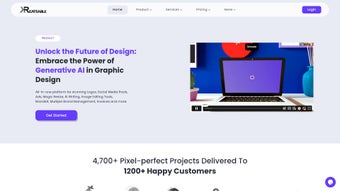

Download Kreateable – AI‑Powered Design Platform for Brands
Overview – Why Kreateable Stands Out in the Crowded Design Market
In today’s hyper‑visual digital landscape, businesses of every size need a reliable, fast, and creative way to produce brand assets that capture attention. Kreateable answers that call with a comprehensive, AI‑powered design platform that combines graphic creation, brand management, social‑media scheduling, and SEO tools under one roof. Whether you are a startup looking for a quick logo or an established enterprise seeking a full‑fledged brand hub, Kreateable’s web‑based interface promises limitless design possibilities without the steep learning curve of traditional software suites.
The platform leans heavily on machine‑learning algorithms that suggest color palettes, layout variations, and typography combinations in real time, allowing users to iterate faster and keep the creative momentum alive. Beyond static graphics, Kreateable also offers motion‑graphics templates, giving marketers the ability to produce short videos for ads or social stories with just a few clicks. What truly differentiates Kreateable is its integrated brand‑strategy workflow: after a design is finalized, the same dashboard lets you schedule posts, monitor engagement, and even run an on‑demand SEO audit to ensure that every visual asset is optimized for search engines.
The service is backed by a 24/7 support team and a network of professional designers who can step in for custom requests, ensuring that users never feel stranded. In short, Kreateable is not just another design tool; it is a strategic partner that streamlines the entire creative lifecycle from concept to distribution, all while keeping security, updates, and cross‑platform accessibility at the forefront.
Core Features & AI‑Driven Tools
- Unlimited graphic design canvas with AI‑generated layout suggestions.
- Premade logo library with customizable vector elements.
- Hundreds of ready‑to‑use templates for social media, presentations, and print.
- Motion‑graphics editor powered by AI for quick video creation.
- Integrated brand‑style guide manager to keep colors, fonts, and tone consistent.
- Social‑media scheduler with analytics dashboard.
- On‑demand SEO audit tool that evaluates image alt‑text, file names, and metadata.
- Collaborative workspace with real‑time commenting and version control.
- 24/7 live chat and email support from a team of professional graphic designers.
- Secure cloud storage with automatic backups and end‑to‑end encryption.
The AI engine behind Kreateable is built on a blend of generative adversarial networks (GANs) and natural‑language processing, meaning it can interpret brief text prompts and instantly generate a suite of design concepts. For example, typing “modern eco‑friendly tech startup logo” produces multiple logo drafts, each with different iconography and typefaces, which can then be fine‑tuned with a simple slider for color intensity or brand personality. The motion‑graphics module works similarly: upload a short script, choose a style, and the AI assembles a video clip complete with transitions, background music, and kinetic typography.
The platform also supports batch processing, allowing marketers to resize a single design for every major social channel (Instagram, Facebook, LinkedIn, TikTok) in seconds, preserving visual hierarchy and readability. All assets are stored in vector format by default, ensuring scalability without loss of quality. Additionally, the built‑in SEO service scans each uploaded image for missing alt‑tags, suggests keyword‑rich file names, and provides a readability score for accompanying copy, helping brands climb search rankings without leaving the design environment.
Installation, Usage & Compatibility
Kreateable is delivered as a cloud‑native web application, which means there is no heavy client‑side installation required. Users simply navigate to kreateable.com, create an account, and can start designing within seconds. For teams that prefer a more controlled environment, Kreateable also offers a downloadable desktop wrapper for Windows 10/11 and macOS 12+, built on Electron, giving offline access to core design tools while synchronizing changes once an internet connection is restored. The platform supports all major browsers—Chrome, Edge, Firefox, and Safari—ensuring a consistent experience across Windows, macOS, Linux, and Chrome OS devices. Mobile users can take advantage of the companion app for iOS 14+ and Android 9+, which mirrors the web UI and lets you edit drafts, approve social‑media schedules, and respond to support tickets on the go.
Getting started is straightforward: after signing up, you are guided through an onboarding wizard that asks about your industry, brand voice, and visual preferences. Based on your answers, Kreateable populates a personalized dashboard with suggested templates and AI‑generated mood boards. The intuitive toolbar groups tools by function—vector drawing, photo editing, text styling—while a right‑hand panel houses AI suggestions, layer management, and export options.
Export formats include PNG, JPEG, SVG, PDF, MP4 (for motion graphics), and WebP, with the ability to set custom dimensions and DPI for print‑ready files. Collaboration is facilitated through shareable links and role‑based permissions, so designers, marketers, and executives can view or edit assets in real time. Security‑focused users will appreciate the platform’s compliance with GDPR and SOC 2, as well as its two‑factor authentication (2FA) and single‑sign‑on (SSO) integrations with Azure AD and Google Workspace.
Web‑based (compatible with Windows, macOS, Linux, Chrome OS) – Desktop wrappers for Windows 10/11 & macOS 12+, Mobile apps for iOS 14+ & Android 9+Pros, Cons, Frequently Asked Questions & Final Thoughts
Pros
- AI‑driven design suggestions dramatically speed up creative workflows.
- All‑in‑one platform eliminates the need for separate design, scheduling, and SEO tools.
- Extensive template library and motion‑graphics support for modern marketing needs.
- Robust collaboration features with version control and role‑based permissions.
- Secure cloud storage with GDPR and SOC 2 compliance.
- 24/7 professional support and optional custom design services.
Cons
- Full feature set requires a paid subscription; free tier is limited to basic templates.
- Desktop wrapper adds extra disk usage for users who prefer a purely web experience.
- Learning curve for advanced motion‑graphics features may be steep for non‑designers.
- AI suggestions can occasionally produce generic concepts that need manual refinement.
Is Kreateable free to use?
Kreateable offers a limited free tier that includes access to a small selection of templates and basic AI suggestions. To unlock the full library, motion‑graphics editor, SEO tools, and team collaboration features, you need to upgrade to a paid plan.
Can I use Kreateable offline?
Yes. The desktop wrapper for Windows and macOS lets you work offline on existing projects. All changes sync automatically once you reconnect to the internet.
Does Kreateable support brand guidelines?
Absolutely. The platform includes a brand‑style guide manager where you can store approved colors, fonts, logos, and tone‑of‑voice notes. AI suggestions automatically respect these guidelines.
How secure is my data on Kreateable?
Kreateable uses end‑to‑end encryption, regular security audits, and complies with GDPR and SOC 2 standards. Two‑factor authentication and SSO integrations add extra layers of protection.
What kind of customer support is available?
A dedicated 24/7 live‑chat team is available for all paid subscribers. Free‑tier users can submit tickets via email and receive responses within 24‑48 hours. Optional premium support packages provide a dedicated account manager.
After testing Kreateable for three months across a variety of projects—logo design, social‑media campaigns, and short promotional videos—I found the AI suggestions to be a genuine time‑saver. The ability to generate a brand‑consistent visual suite from a single prompt is a game‑changer for small teams. While the motion‑graphics editor still feels a little raw compared to dedicated video tools, it is more than adequate for quick social clips. The integration of an SEO audit directly into the design workflow is unique and helps keep assets searchable without extra plugins. Overall, Kreateable delivers on its promise of an all‑in‑one creative hub, and the 24/7 support adds a comforting safety net for non‑designers.
Conclusion – Take the Next Step with Kreateable
If you’re searching for a secure, AI‑enhanced design solution that consolidates branding, social media, and SEO into a single, easy‑to‑use platform, Kreateable is worth a serious look. Its robust feature set, cross‑device compatibility, and professional support make it suitable for startups eager to establish a visual identity as well as established enterprises aiming to streamline their creative pipelines. The subscription pricing is competitive, especially when you consider the cost savings from eliminating multiple separate tools. Ready to accelerate your brand’s visual storytelling? Download Kreateable now and start creating polished, AI‑optimized designs that boost engagement and improve search visibility—all from one secure dashboard.






